Chess Vibing
So, my son was born two months ago and one of the goals that I set for myself as father was to teach him different skills, such as playing piano and playing chess —even though, I'm not knowledgable in any 🤣.
So I started my journey as a self-learner at both skills, although my only focus for this post is: Chess.
As some of you might know, chess is both simple and complex at the same time, I have the impression that the learning/effort curve for chess looks something like this:
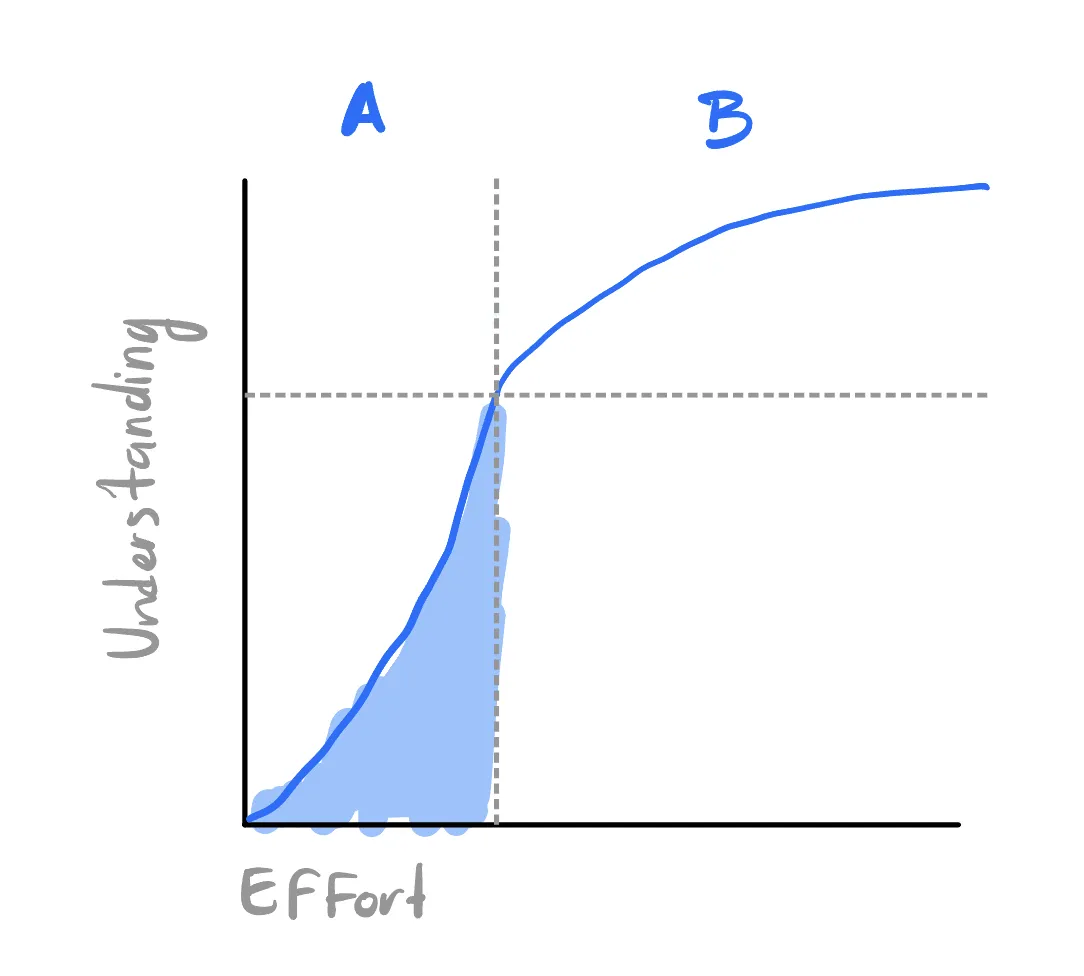
Where the region A basically is learning the rules, how pieces move, basic checkmate patterns and openings. And when you reach the yield point, things at chess start to get weird!
At region B, you encounter topics such as Pawn structures, strategy, tactics, different types of endings, etc. This increments the amount of effort that you need to invest in order to get some decent progress.
Because of this, I decided to buy a series of books to start learning and I was amazed by them, specially how some of them are super clear on the diagrams.
Because I'm a visual person I wanted to take notes on a dynamic notebook something like obsidian with chess plugins —which I tried but didn't satisfy my visual taste.
So, based on this obsidian plugins, notion and en-croissant (opensource chess app) I decided to create my Frankenstein.
I vibecoded something that fitted my current needs, allowing me to combine book notes and create notebooks for other courses I take.
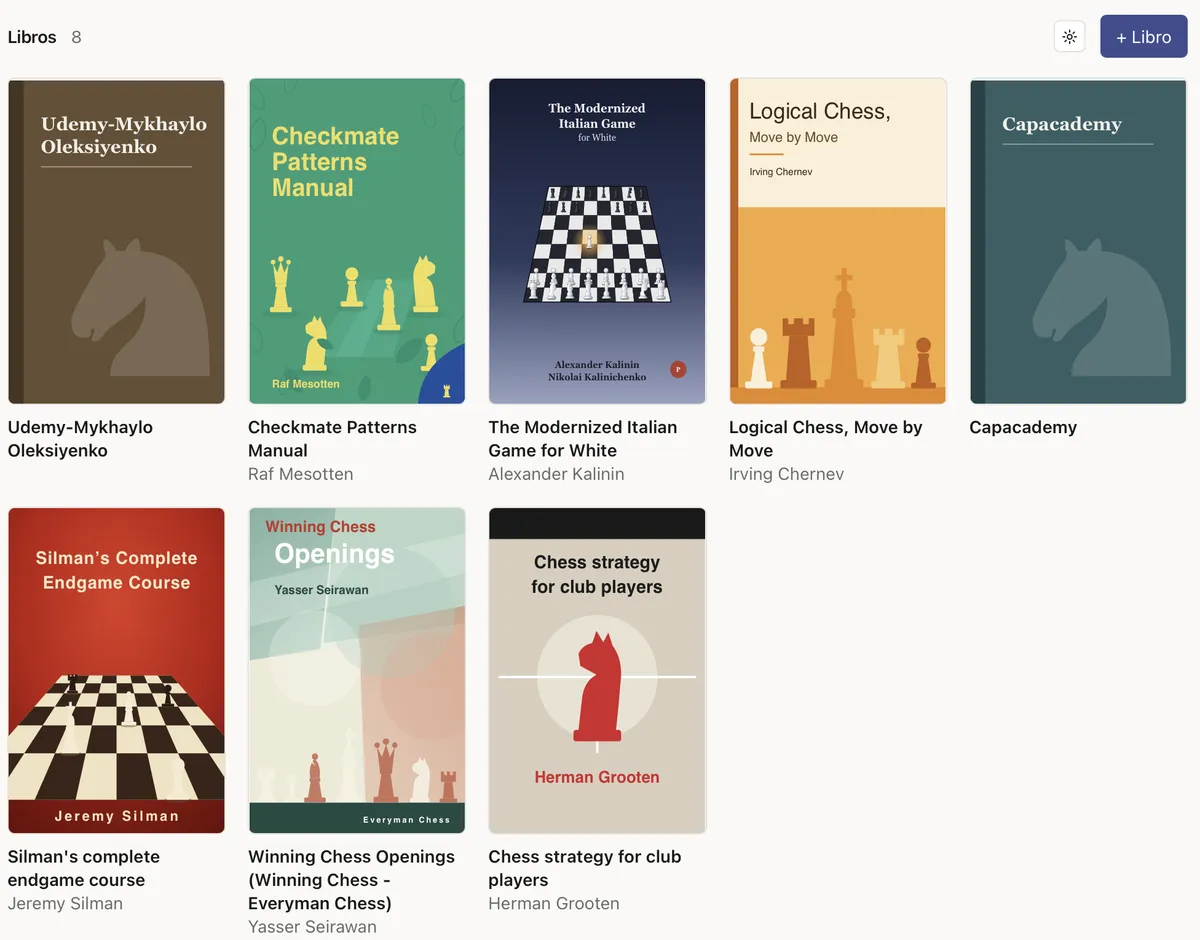
This is one of my favorite projects so far as each book had a unique visual asset that I integrated. For example, when learning checkmate patters, as there are just a couple moves that are done at this stage, then you can visually represent them at once.
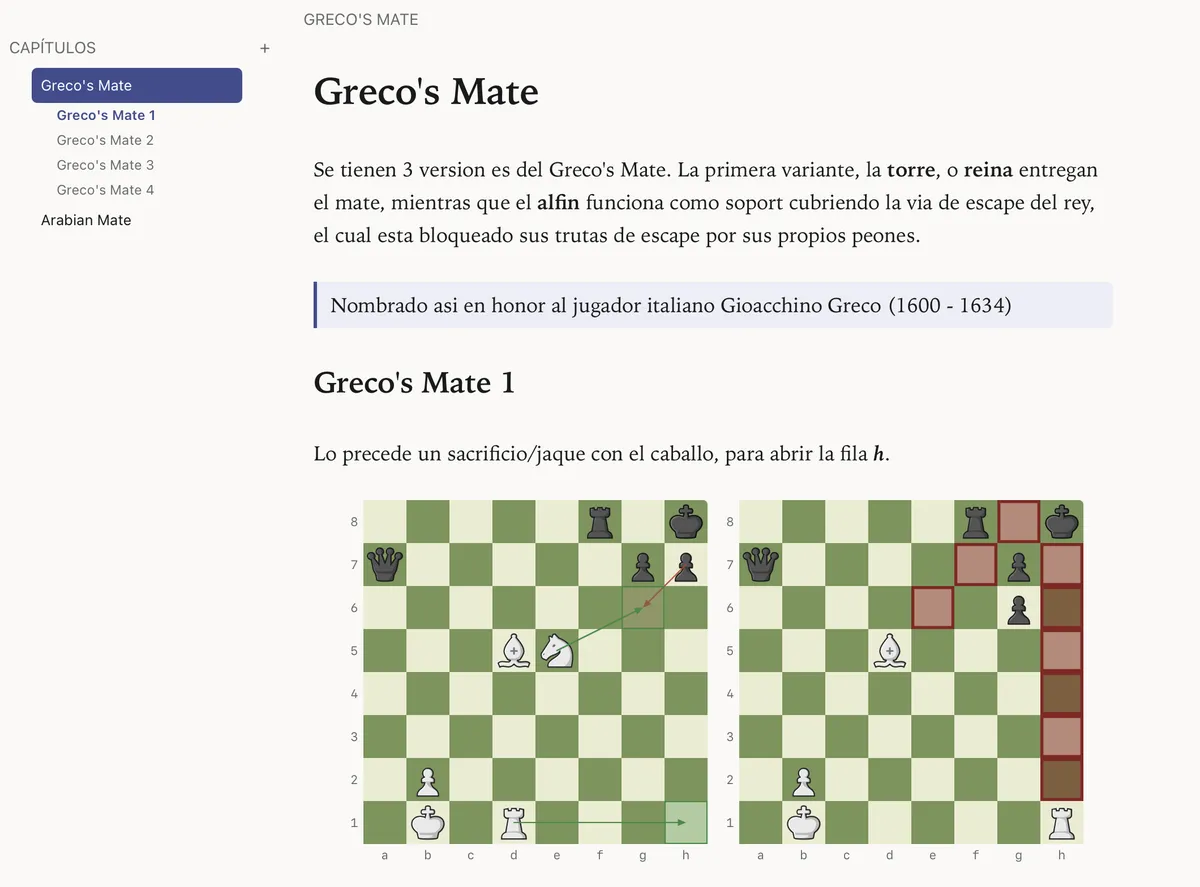
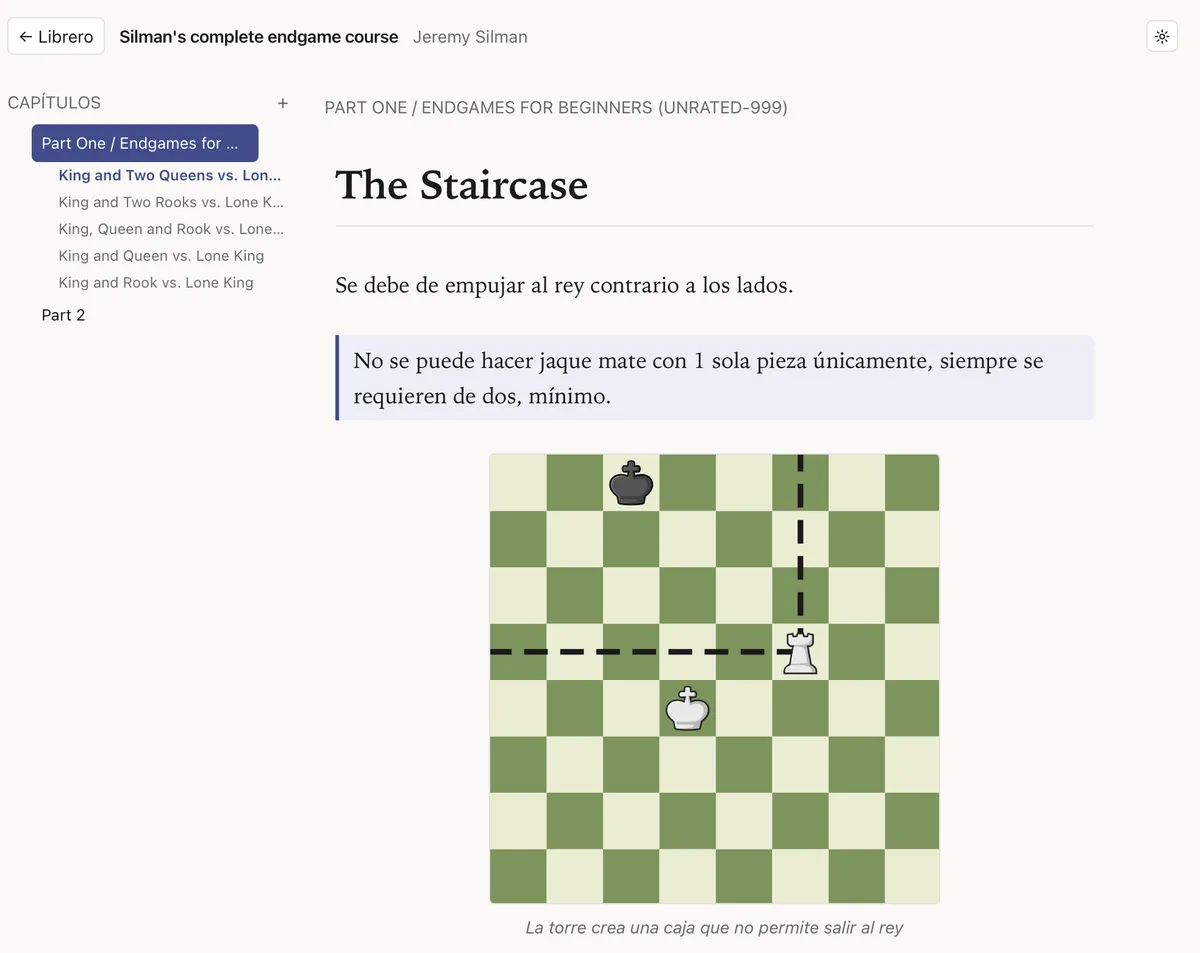
Or when you want to represent the reach of a piece on a given position, it is incredible useful to use dashed-lines
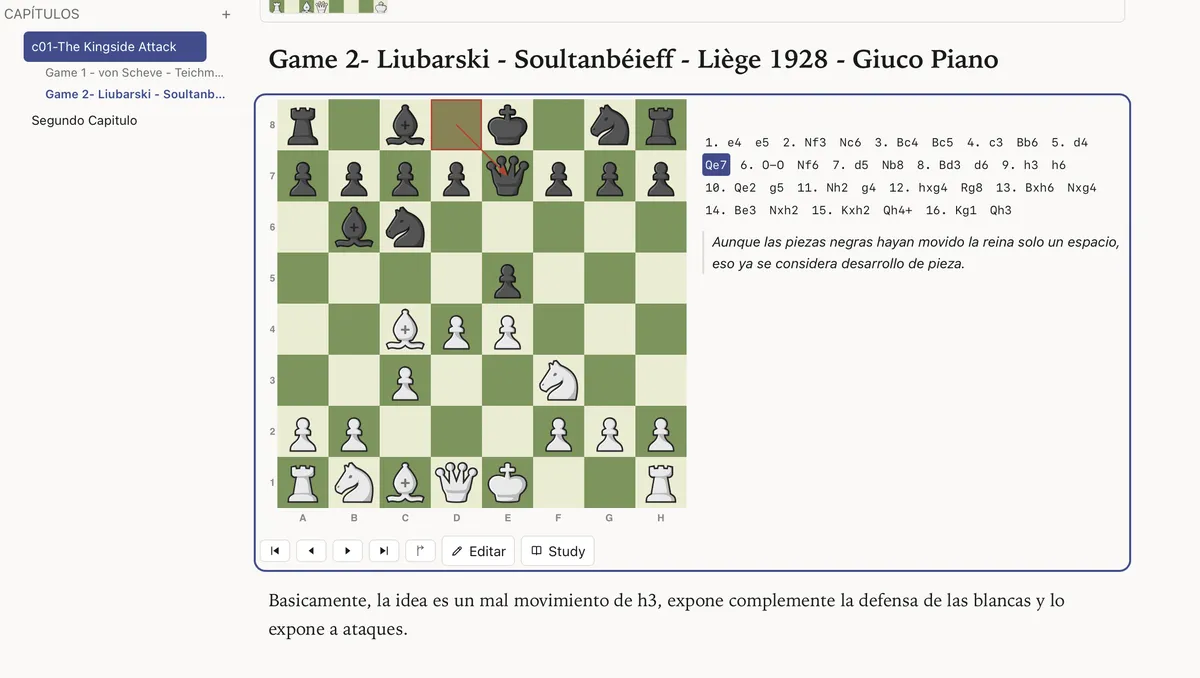
Of course, most of the time you are going to be studying real games. In this case, I've created an inline board that has a small but interesting touch that adds dynamism by just showing the movement of the last piece with an arrow.
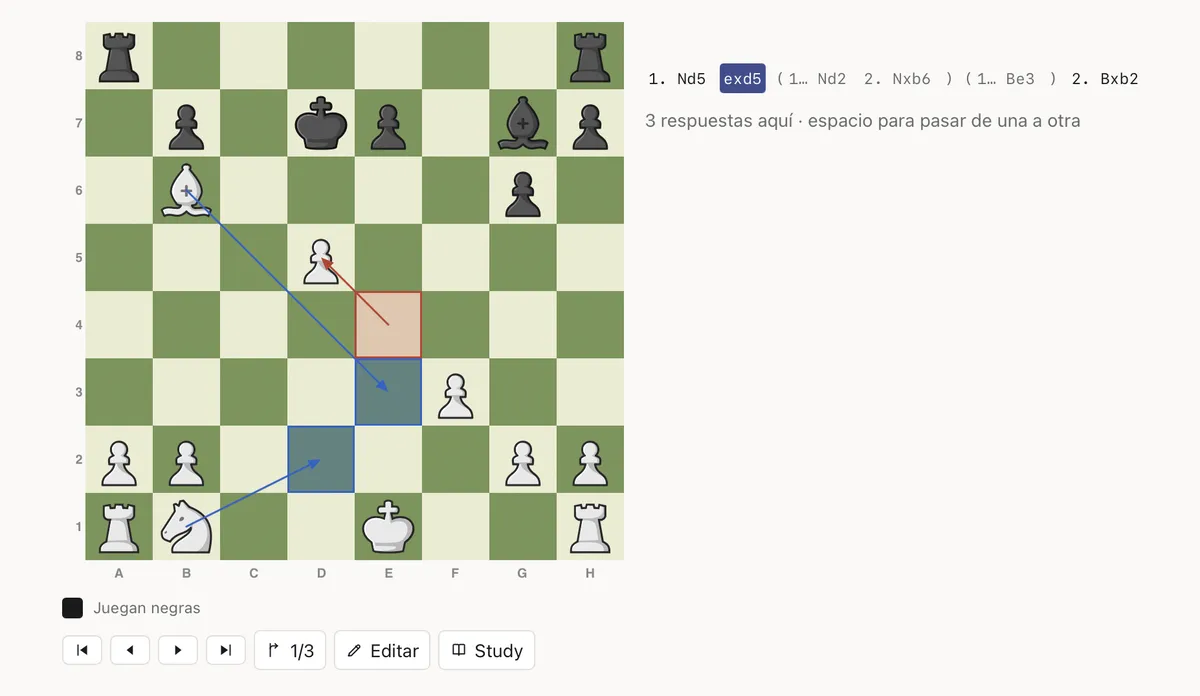
Also, allowing you to visualize alternative movements in blue, and by clicking on spacebar you can alternate between them.
My main intention with this post is to encourage you to build something that breaks, something that is not perfect, that is full of bugs and full of things that you can improve. On today's world, the AI has given us the power to iterate fast and create new tools that will help us achieve our goals; to create something that suits you perfectly as you picture it inside your head.
To me, the best way to learn is by owning the learning process, by doing things in your way, how you want to understand them. Today, it's not valid to say: "I wish it was taught like this...".
There is no excuse for this. If your ideal learning system doesn't exist, then build it yourself!